
How to Use Apple Carplay® In Your Mercedes-Benz for Sale in Lafayette, LA
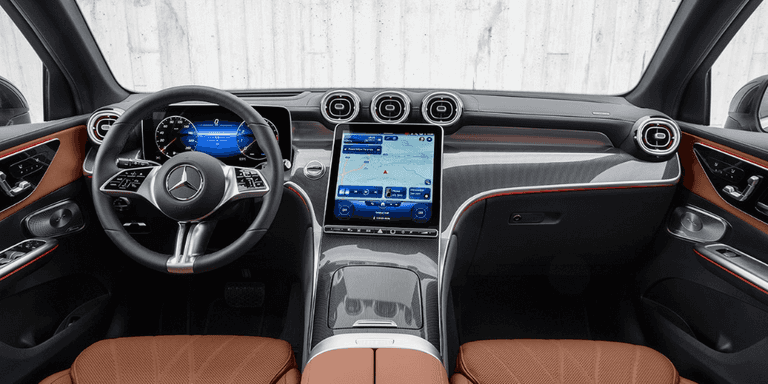
Apple Carplay® is a sought-after automotive feature that allows you to play your favorite songs, send text messages, make phone calls, use navigation, and much more — all while keeping your eyes on the Youngsville roads ahead. So, how do you use Apple Carplay® in your Mercedes-Benz? Mercedes-Benz of Lafayette has all the details you need below. If you have any questions, please don’t hesitate to contact us.
How to Set Up Apple CarPlay®
Apple Carplay® integrates your iPhone’s car-friendly applications, such as Apple Music, Apple Maps, and Spotify, with your Mercedes-Benz infotainment system. Setting up Apple Carplay® is quite simple; just follow these steps below:
- Plug your iPhone into the USB port.
- You can set up Apple Carplay® to automatically connect to your phone each time you plug it in. To do so, select the “Start Automatically” option the first time you plug in your phone. If a passenger wants to connect their phone, choose the “Select Manually” option so that it doesn’t automatically connect to their phone in the future.
Your phone should now be connected to your infotainment system via Apple Carplay®. You can use the COMAND® controller, the Siri® Voice Operating Control System, or the buttons on the dashboard to control your phone’s primary functions.
If you want to adjust certain vehicle functions, like ambient lighting, you’ll need to exit Apple Carplay® and press the Mercedes-Benz icon on the screen. This will bring you to the COMAND® system. You can manually select your phone from the device list to resume Apple Carplay®.
How to Set Up Wireless Apple CarPlay®
If your new Mercedes-Benz has wireless Apple Carplay® integration, the steps for setting it up are a bit different:
- Ensure you have Bluetooth® turned on with your iPhone.
- Select “Phone” and then “Connect Device” on the touchscreen display in your Mercedes-Benz.
- Select “Connect New Device” if this is your first time connecting your phone wirelessly.
- When your device appears on the screen, click on it to select it.
- Your iPhone will then ask you to click and accept the passcode to connect it to your vehicle’s display. It will also ask you to enable it to sync your contacts and favorites to your vehicle’s display.
- After reading the Data Protection Notice, click “Accept and Start Apple CarPlay®.”
What Apps Can You Use With Apple Carplay®?
Apple Carplay® gives you convenient access to a variety of your favorite smartphone applications, including:
- Apple Music and Apple Podcasts
- Spotify
- Pandora
- Audible
- Waze
- TuneIn® Radio
- NPR One
- iHeartRadio
- And more!
Apple CarPlay® Features
So, what can you do with Apple Carplay®? Here’s just an overview:
- Make Phone Calls: You can make hands-free phone calls with Apple Carplay®. Simply say the name of the person you wish to contact and the call will be placed for you.
- Send Text Messages: You can also safely send text messages with Apple Carplay®. Select a contact, speak your desired message out loud, then say, “Send.”
- Stream Music and Podcasts: Stay entertained during your drives around Youngsville by playing your favorite tunes or podcasts.
- Use Navigation: Apple Carplay® is compatible with both Apple Maps and Google Maps. You can see step-by-step directions to your destination right on your infotainment screen, as well as search for nearby gas stations, restaurants, coffee shops, and more.
What Mercedes-Benz Vehicles Have Apple Carplay®?
You’ll be pleased to know that Apple Carplay® is a standard feature on all new Mercedes-Benz vehicles within the last few model years!You can even find Apple Carplay® in some of our pre-owned Mercedes-Benz models as well. Our team can help you find a vehicle with Apple Carplay® and all the other features on your must-have list.
Contact Mercedes-Benz of Lafayette With Questions About Apple Carplay® Today
Apple Carplay® allows New Iberia drivers like you to stay safe, connected, and entertained on Lafayette roads. If you have any questions or want to test-drive a new or pre-owned Mercedes-Benz with Apple Carplay®, just let us know, and we’ll be happy to help.
